

Why is the login not enough to measure HubSpot usage?
Each metric answers a different question. The problem appears when an activity metric is used as proof that the work was done well.
| Metric | What it shows | What it does not show |
|---|---|---|
| Logins | That the person signed in | Whether they did the agreed work |
| Filled fields | That there is a value | Whether the value helps someone continue |
| Guides read | That someone opened the content | That they applied it on a real case |
| Completed plans | Reported progress on steps | The quality of the resulting work |
| Reviewed sample of records | The quality of the real work | Nothing on its own unless repeated over time |
If the underlying problem is that the team does not record its work in HubSpot at all, start with my team does not use the CRM (in Spanish). This guide helps measure it once the process is workable.
What behavior does the process need?
Start with a moment of work, not a feature you want to promote. After a customer meeting, the rep needs to agree on the next action and leave enough context for someone else to continue. Name the trigger, the role, the action and the evidence you expect to find.
- Hard to coach
“Keep the CRM updated”.
- Recognizable
“Record the agreed next action, its owner and its date after a relevant conversation”.
Choose timing that fits the operation: a team that sells in Chile with short cycles is not the same as one that quotes to several Latin American countries. A universal deadline can add work without helping the customer.
How can a filled field still hide a problem?
A field that says “follow up” is complete but may not help anyone act. A missing-value check finds empty fields; it cannot establish whether the customer agreed to the action. Review both completeness and quality.
- Take a comparable sampleOf active opportunities, before and after an intervention.
- Fix the stage, the team and the windowSo the comparison is fair.
- Set aside what does not applyRecords that need no next step, separate from those that could not be read.
- Review the quality, not just the valueCould someone else continue from what was recorded?
What should you fix when the action is missing?
Ask the person to show you how they do the work. In the teams we work with in Chile and Latin America, the cause is rarely a lack of will, and each cause needs a different change.
| Cause | What to change |
|---|---|
| They do not understand the criterion | A clearer example and an exception. |
| They cannot edit the field | Fix the permissions in HubSpot. |
| They already record it in another system | Improve the information flow or the integration. |
| They forget in the moment | A short reminder next to the record. |
Once the process is workable, a contextual reminder helps people remember the agreed action. Keep the instruction short, explain the consequence for the next person and offer a way to report exceptions. Avoid adding a reminder every time a metric disappoints.
What can HubCoach contribute?
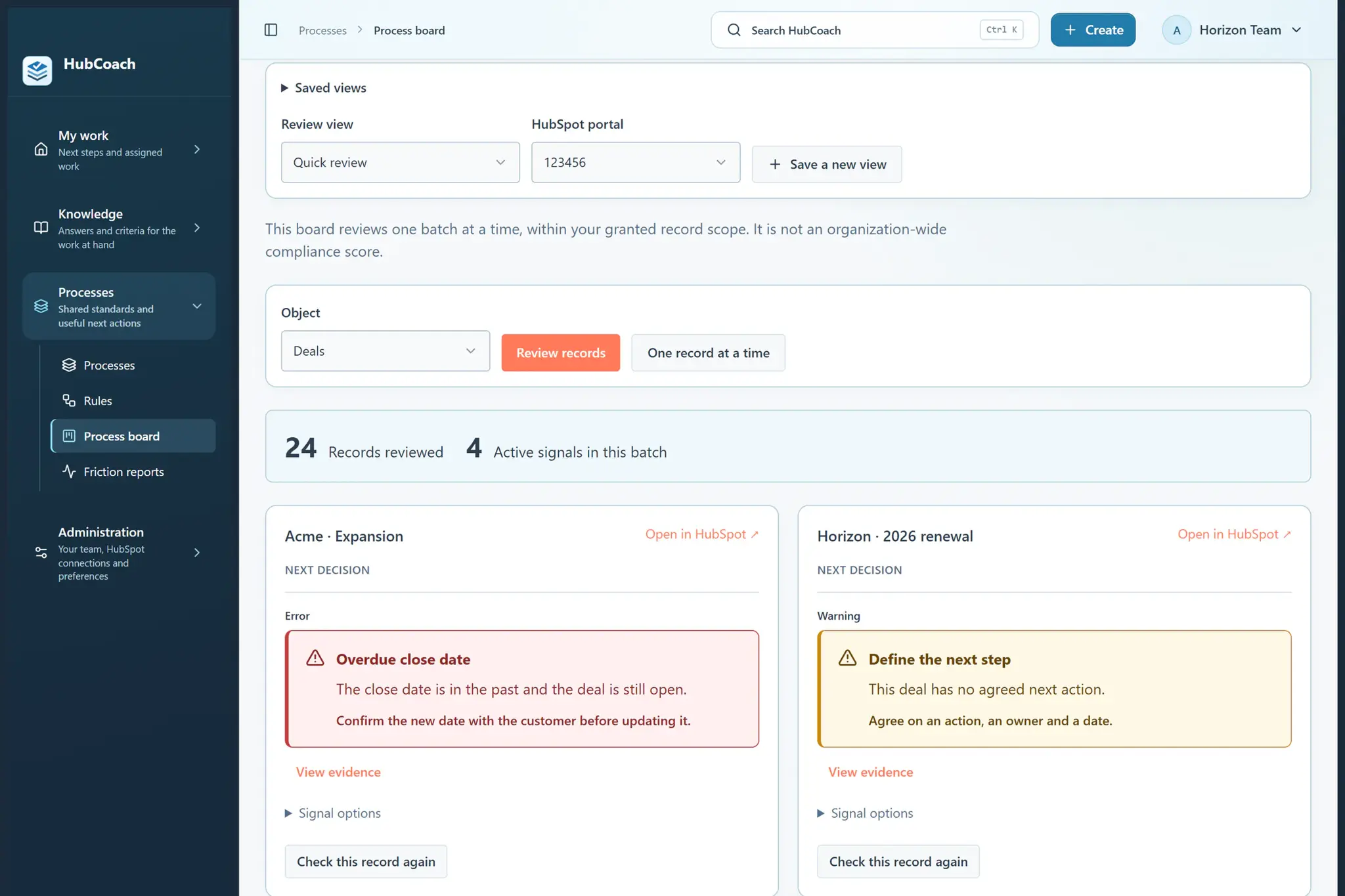
With HubCoach, a Revenue Hub Latam product, a process groups the checks and instructions of one moment of work and is published to the right audience. The process board shows which reviewed records have active signals and what the next decision is.
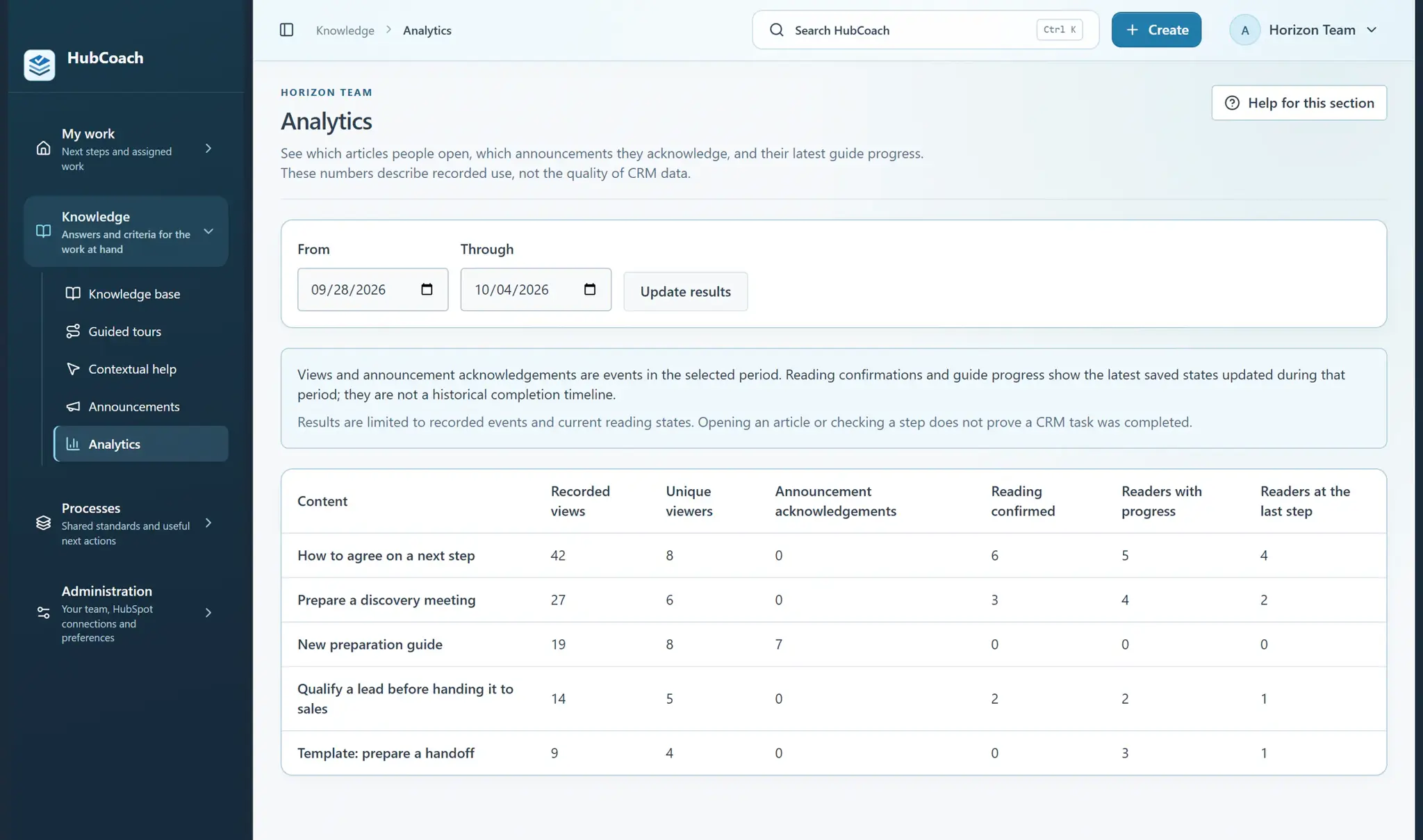
Analytics show the most-read content and reading confirmations. They help improve the material; they do not show that the work changed.
What should you review this week?
- Name one role, one trigger and one expected action.
- Agree on what a useful result looks like, exceptions included.
- Review a comparable sample of real records before and after the pilot.
- Look into the cause of missing work with the person who does it.
- Look at the work again later before calling it sustained.